The road trip everyone enjoys — without the planning.
Wayfinder is a navigation app for RVs, motorhomes and big rigs — with a CoPilot that finds the stops, the food, the views and the breaks for you. No planning the night before, no navigator riding shotgun — the driver included. The road trip plans itself, so everyone just gets to enjoy the road.
Someone always ends up planning the trip. We made the app do it.
On every road trip one person becomes the navigator — hunting the next stop, the next meal, the next view — while the driver just drives. Neither of them is really enjoying the road. Wayfinder takes that job: the driving stays effortless, and the planning disappears.
CoPilot curates the journey
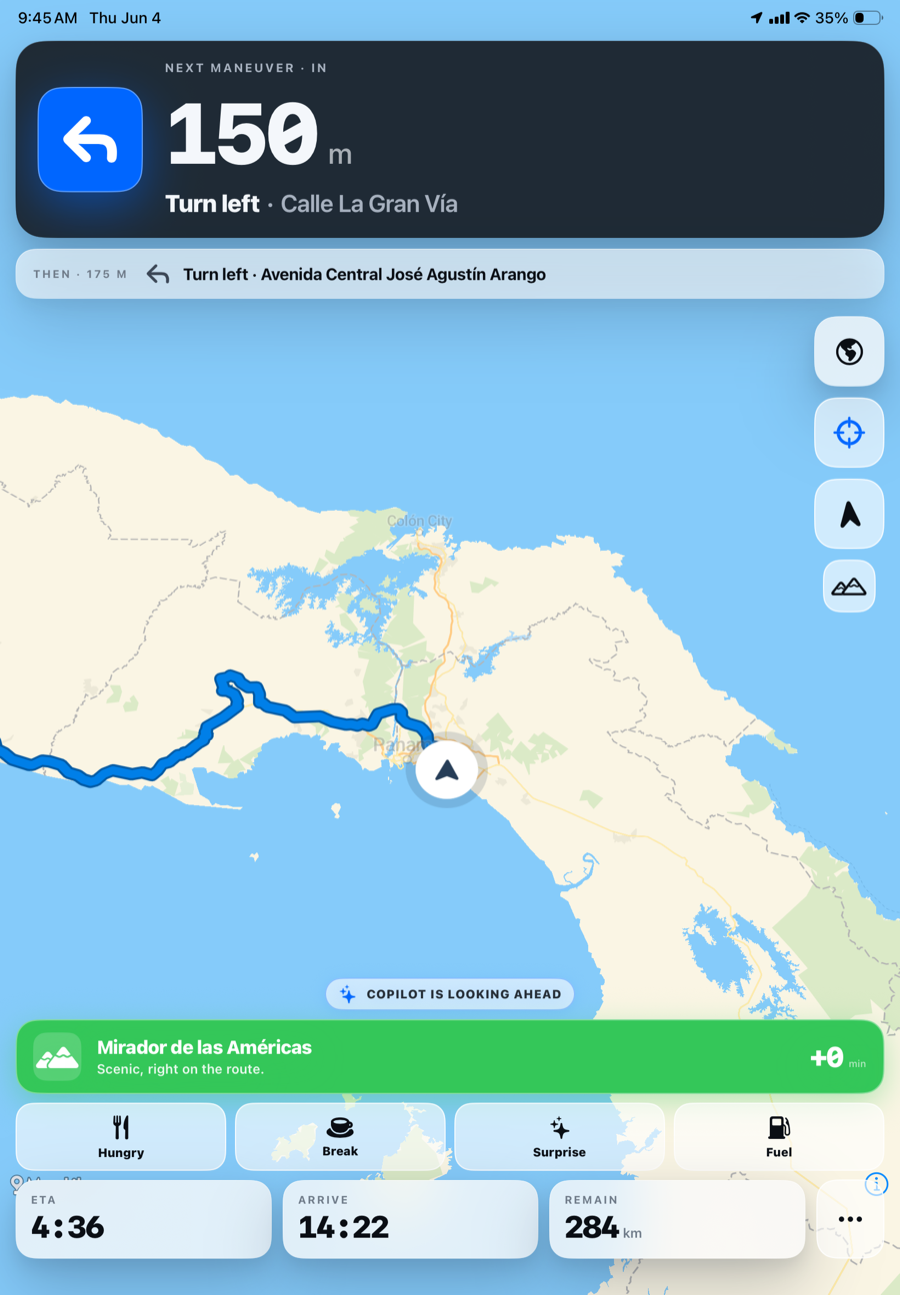
A built-in co-pilot suggests a few genuinely worthwhile stops in context — a scenic overlook, a great bakery, a timely break — and explains, in its own voice, why. It reads the time of day, the road ahead and the mood aboard. The trip plans itself, and everyone gets to enjoy it.
A main screen, not a second screen
- ✓Turn-by-turn you can rely on as your only screen
- ✓Live traffic and accurate speed limits
- ✓Size-safe routing for your rig's real dimensions
- ✓An independent safety check for low bridges & weight limits
The part you'll actually love.
CoPilot curates a few worthwhile stops along the route — never a search dump — and it rides inside the navigation you're already following. For a family on a long travel day, it's the difference between “are we there yet” and a trip worth remembering.
Stops chosen for you, not searched by you.
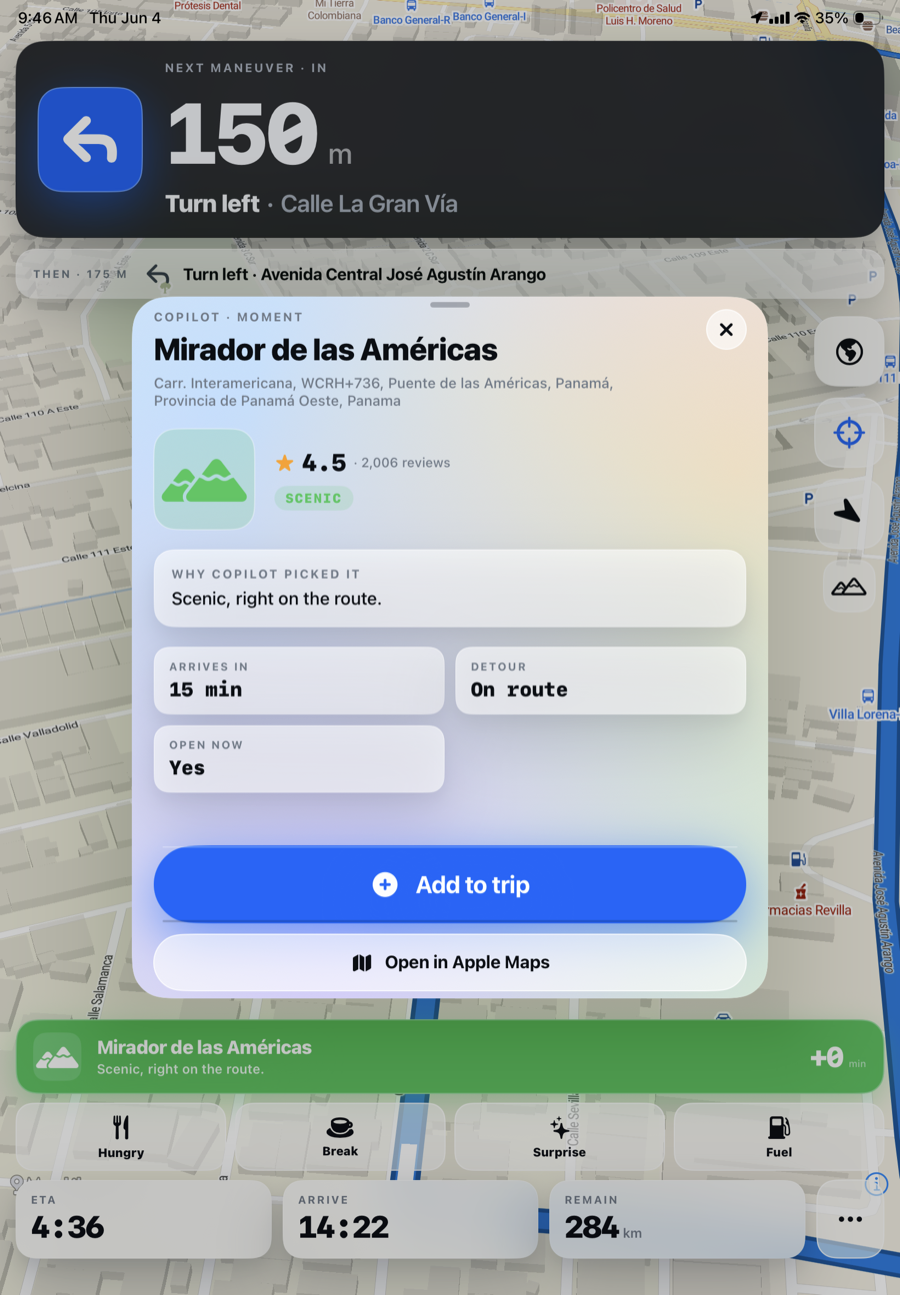
A scenic overlook, right on the route, fifteen minutes ahead, open now — with its rating, the reason CoPilot picked it, and how far off the route it sits. Add it, and Wayfinder re-routes through it in a single tap. No tab-switching, no searching, no planning.
It knows when everyone needs a break.
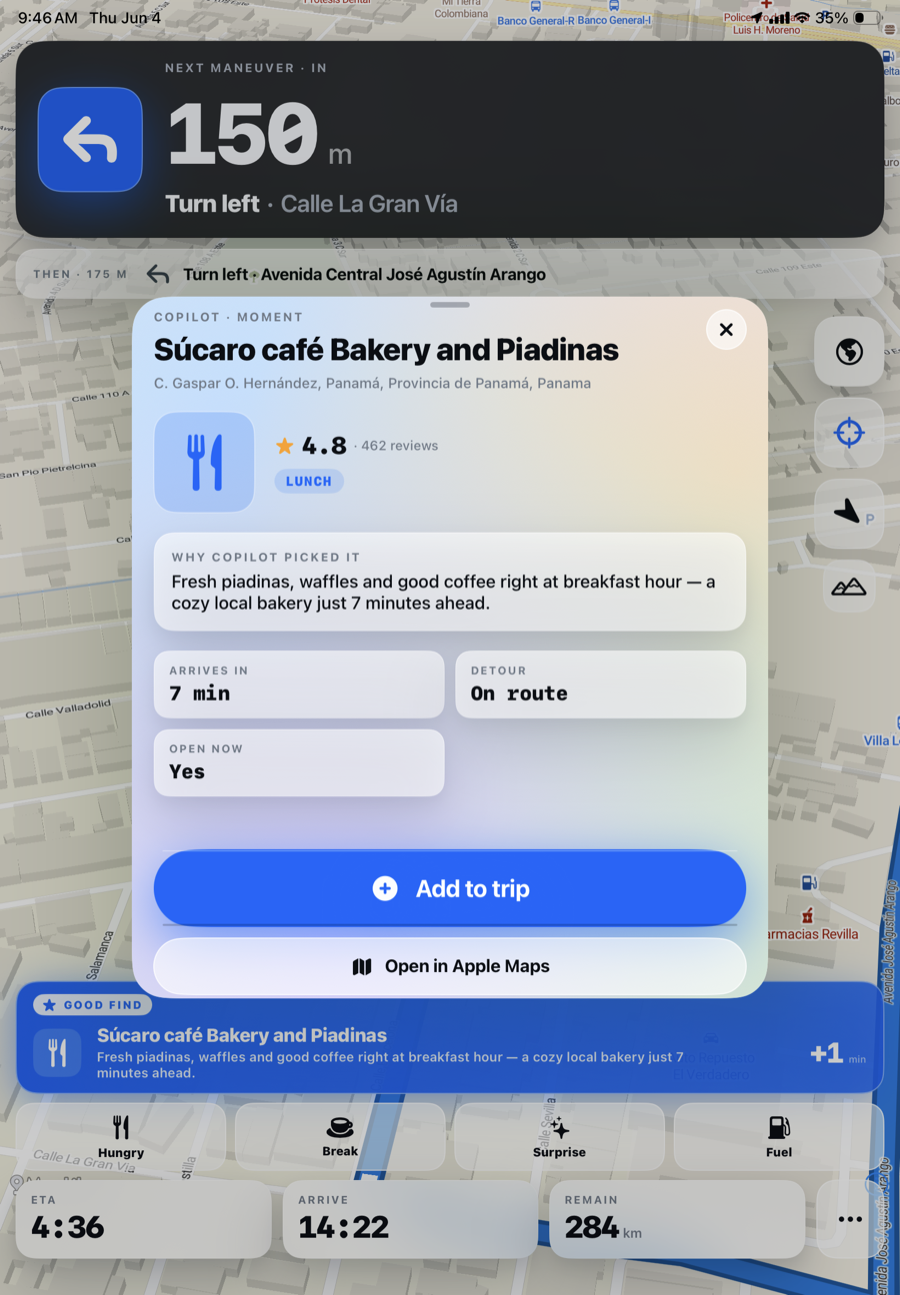
CoPilot weighs the time of day and the mood aboard — pace, energy, hunger, how the kids are holding up. At breakfast hour: a 4.8-star local bakery seven minutes ahead. Curated, in its own voice, with the reasoning shown. Nobody has to be the planner.
Good enough to be your only screen.
CoPilot can only help if you're actually looking at Wayfinder. So the navigation has to be good enough to trust on its own — clear, current, and calm enough to follow without a second app open beside it.
Calm, and built for one job.
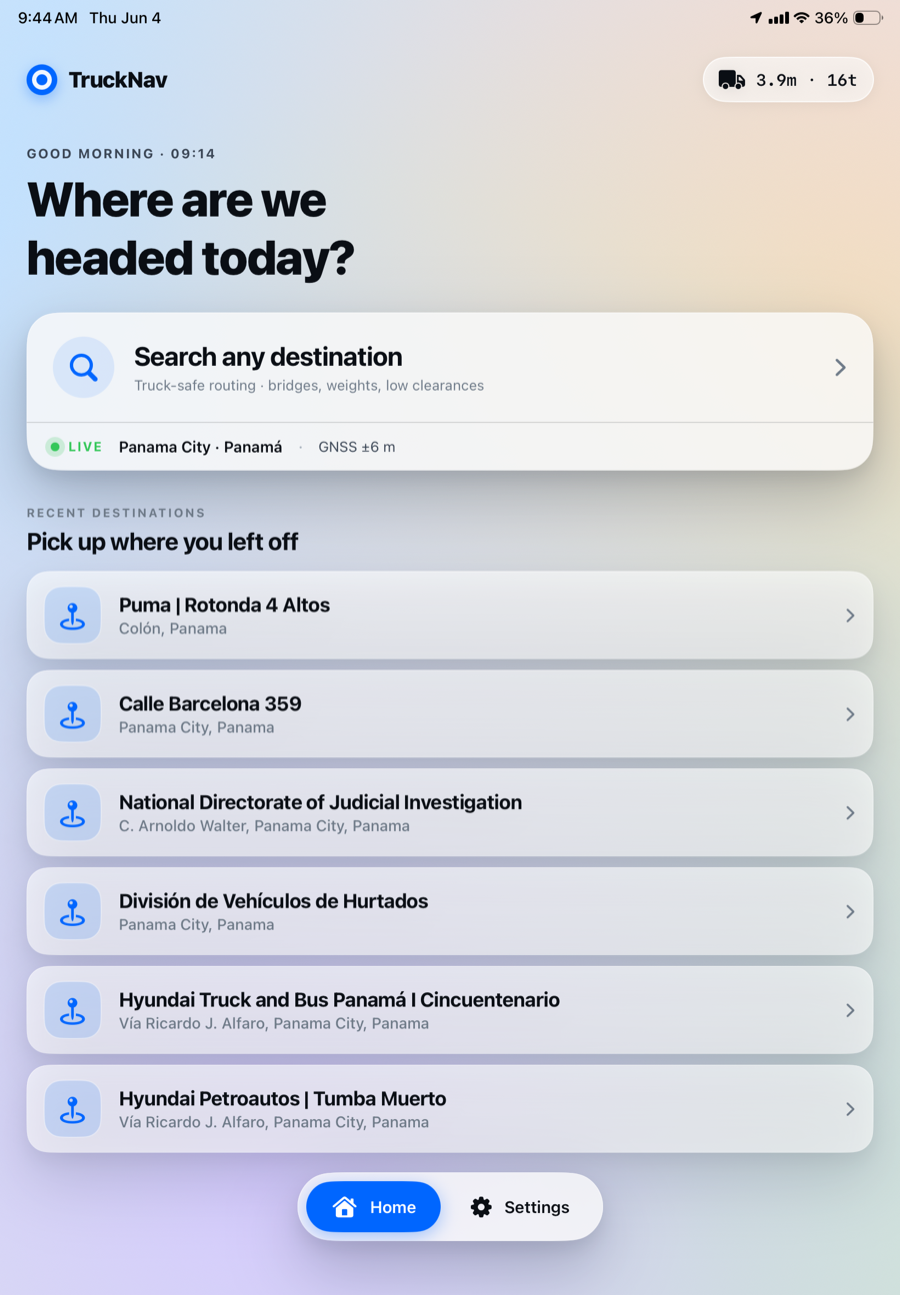
It opens to a single question — where to — with size-safe routing implied, not buried in menus. Your vehicle's dimensions ride permanently in the corner, recent destinations pick up where the last leg ended, and the live location fix is locked before a wheel turns.
The part car navigation won't do.
An RV isn't a car. Wayfinder routes for your vehicle's real size and independently cross-checks every route for the low bridges and weight limits that catch big vehicles out — so a family can follow it without second-guessing.
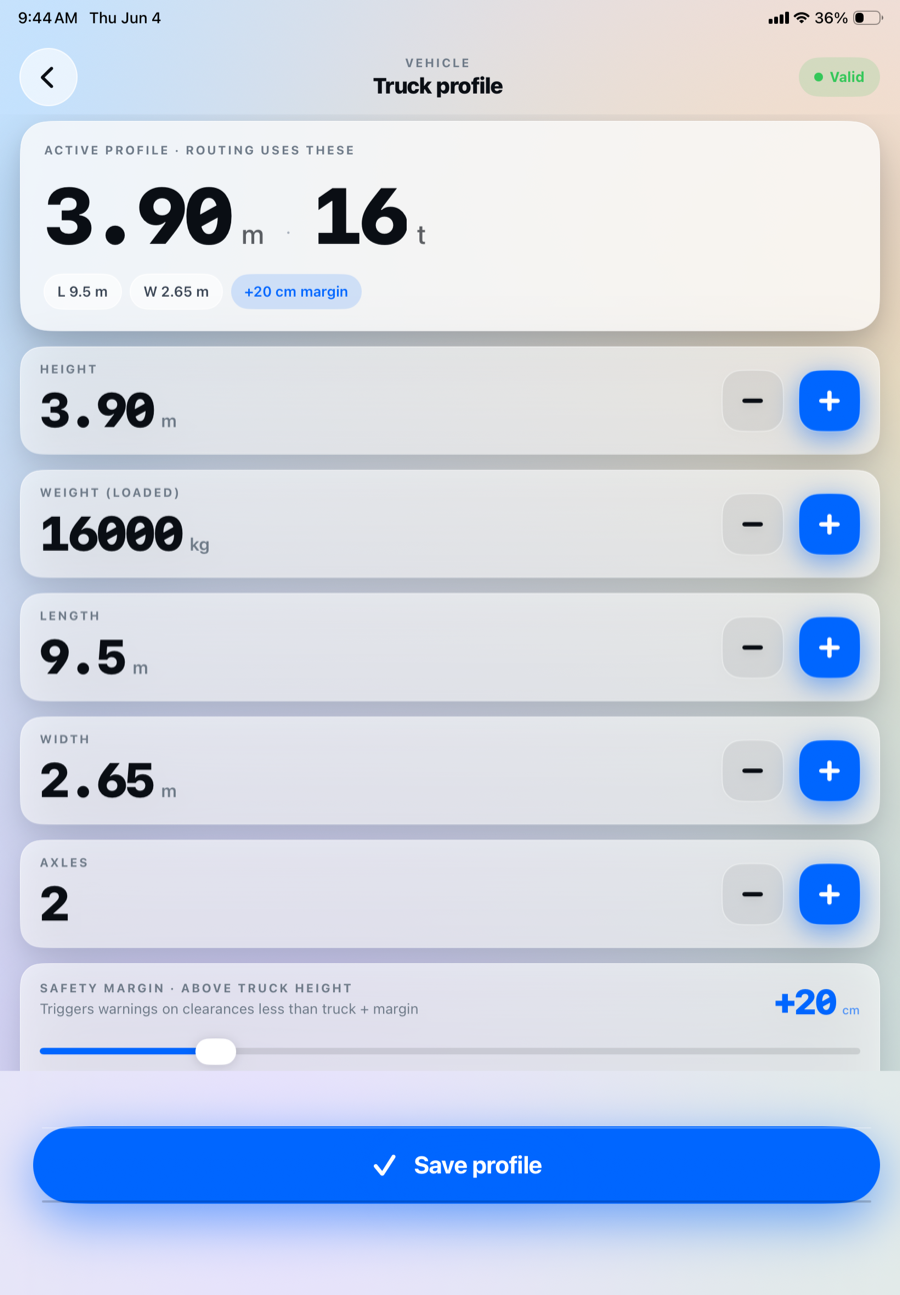
It knows your exact rig.
Height, weight, length, width, axles — everything downstream derives from these numbers. The safety margin (a few extra centimetres above your real height) is kept deliberately separate: the true height plans the route; the margin decides when Wayfinder warns. Because a clearance sign and a real roof are not the same number.
Every restriction, shown openly.
Wayfinder routes for your size, then checks the line against independent public sources and shows exactly what each found. Each flag is concrete: the limit, how far ahead it lies, its offset from the route, the exact source, and a prompt to verify against signage on approach. Not a vague “caution” — a list you can act on.
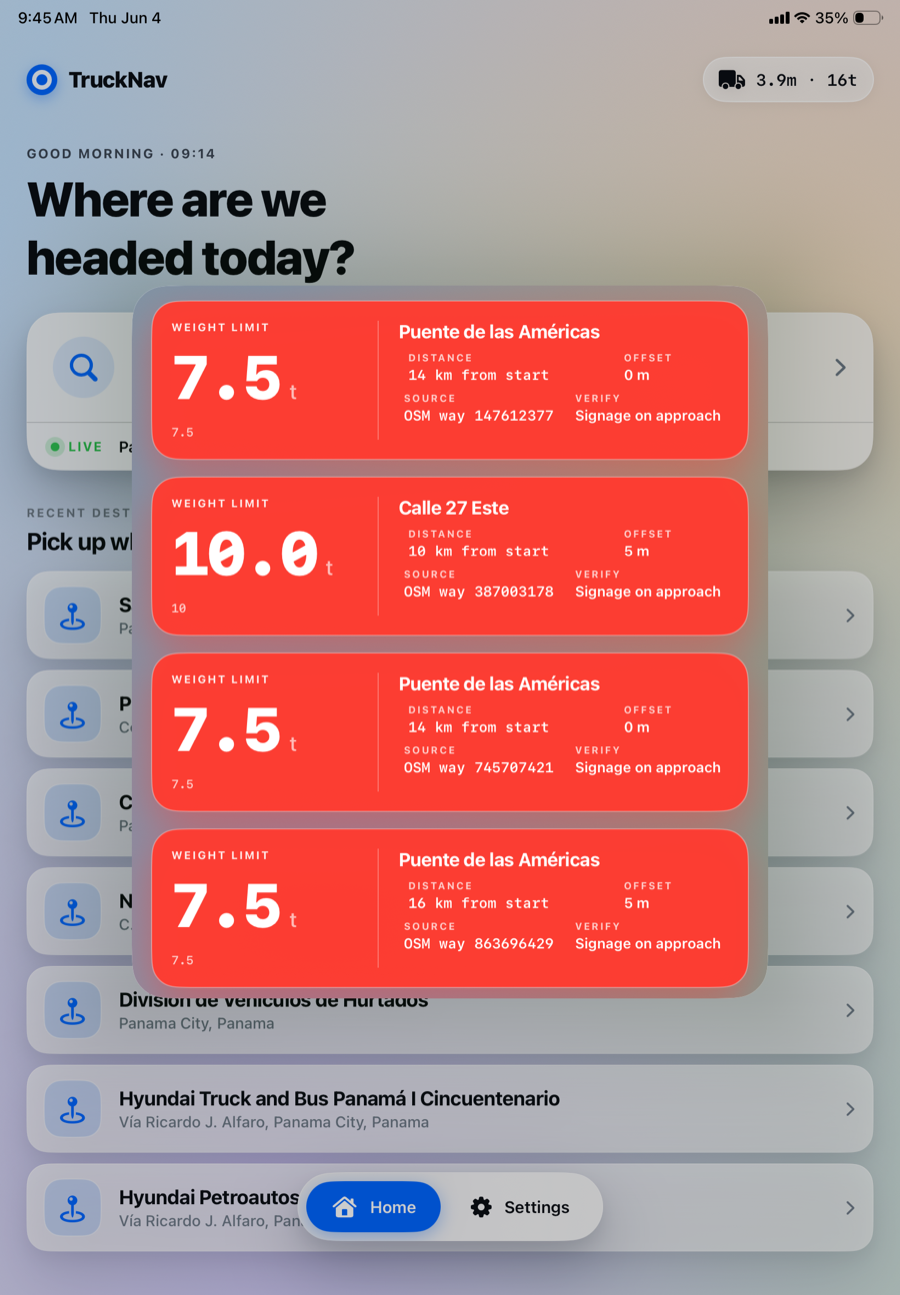
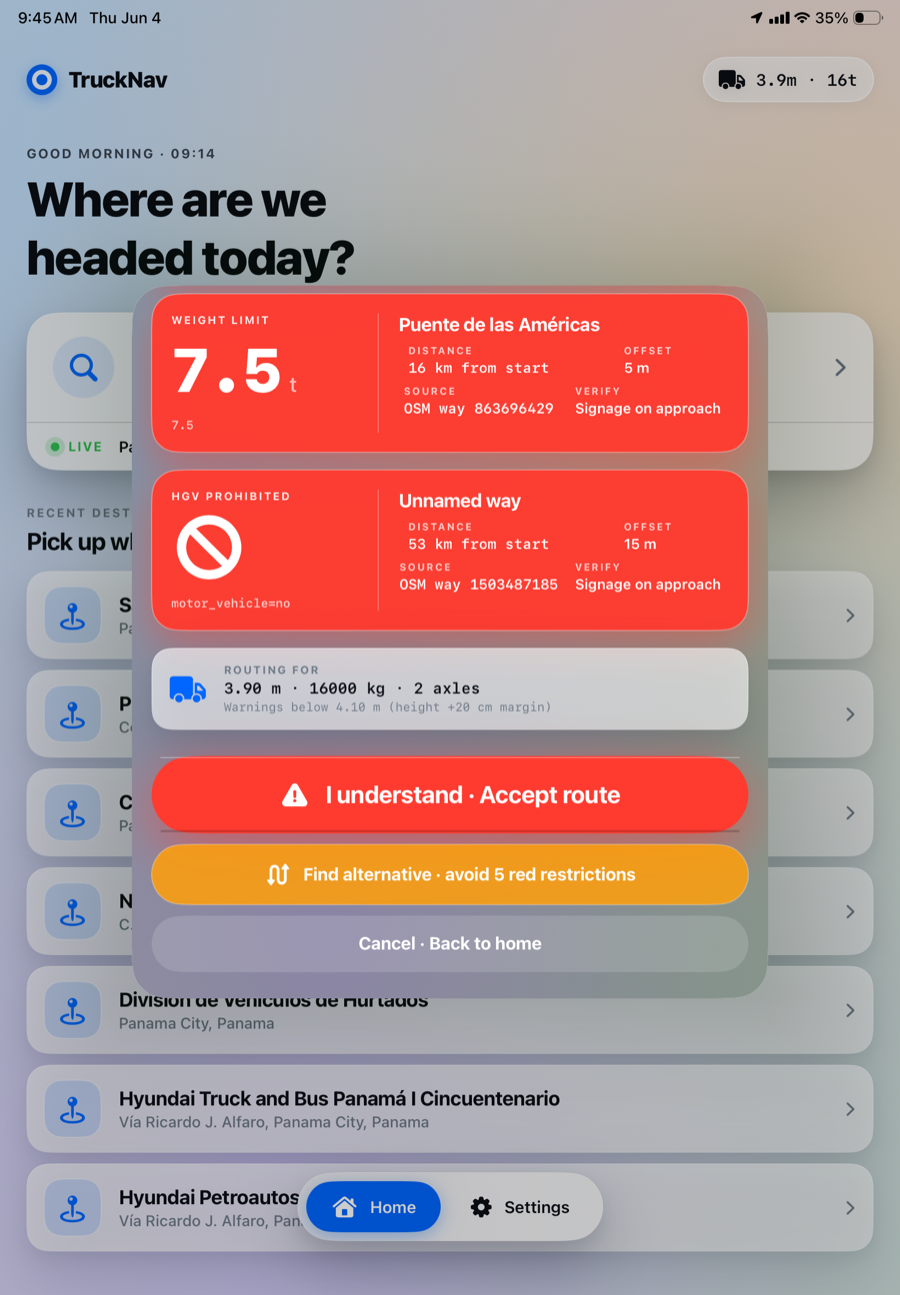
Accept, or route around — never silently.
With restrictions on the route, Wayfinder won't let them be dismissed by reflex. You explicitly accept, or ask for an alternative that avoids every one — re-routed with those areas excluded, then cross-checked again the same way. The machine flags; the human decides.
Be one of the first families on the road with it.
We're opening the Wayfinder beta soon, in small batches — RV, motorhome and big-rig travellers first. Leave your email and we'll send your invite the moment it's ready.
Every screen on this page is a real screenshot from a fully-working iPad app, currently in real-world testing on a 3.9 m / 16 t expedition vehicle along the Pan-American Highway. Built by an independent developer. · June 2026